Migrating the design tokens to Figma variables with Claude Code
UEFA's competition apps relied on an external JSON file and a third-party plugin to manage design tokens.
Only senior designers could update them, and each new contributor had to go through a manual setup just to get Themer running.
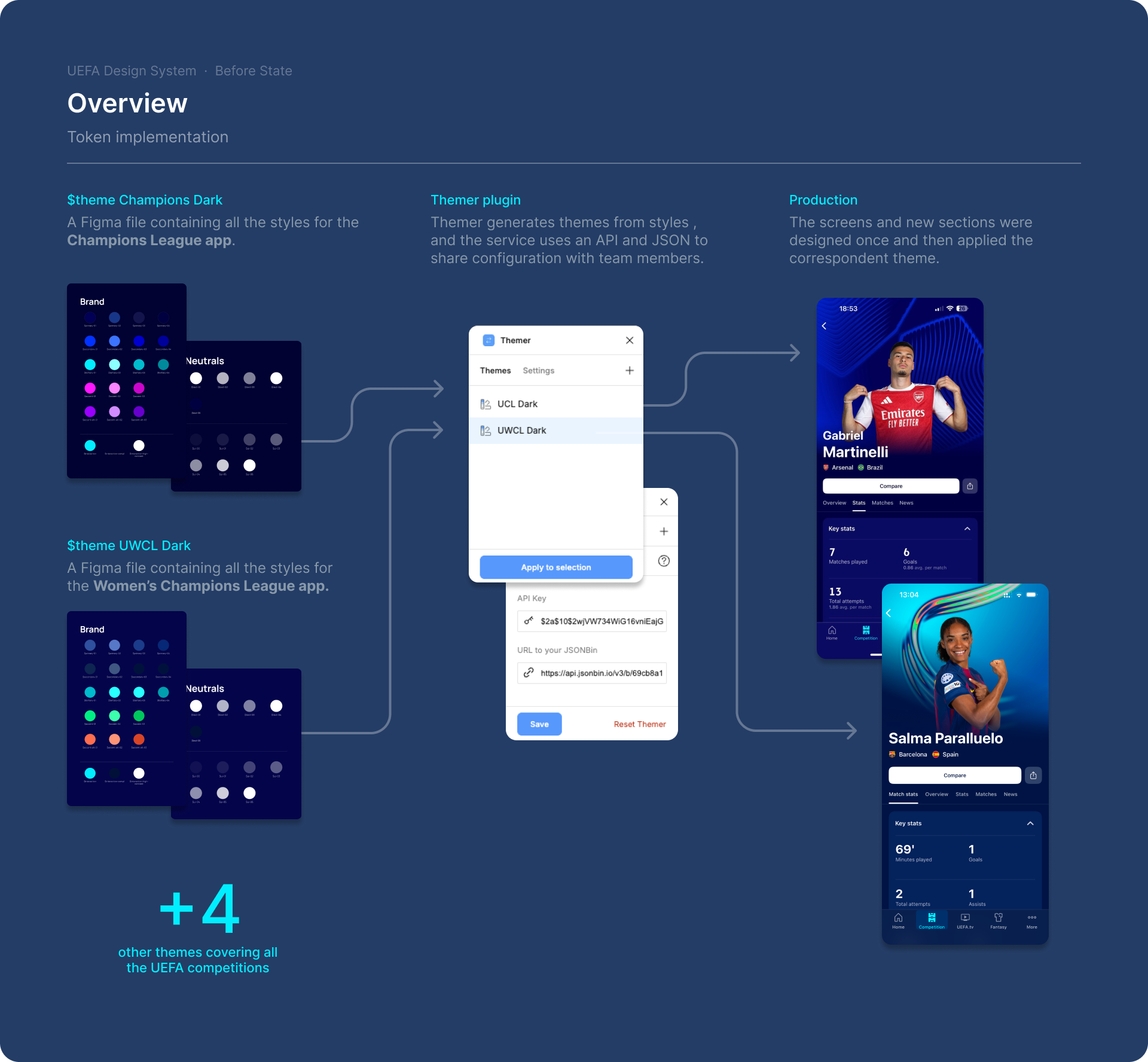
A system that worked but was dependent on a third-party plugin
Manual setup required per file, per competition, per team member
Only seniors could publish updates, creating a constant bottleneck
If the theme files were not manually synced, the whole team worked with outdated tokens without knowing it
Challenge
How can we seamlessly translate the current system into native variables with minimal disruption and without manual intervention?
The migration worked, and it only took one prompt iteration to get right.
For a production context, the approach would need to go further, and maybe reusable script that runs competition by competition would make the rollout more controlled, reduce the risk of anything breaking mid-migration, and bring the cost down significantly.
As a proof of concept, it shows that the hard part of this kind of migration is not the execution, but more about defining the structure you want before you start.
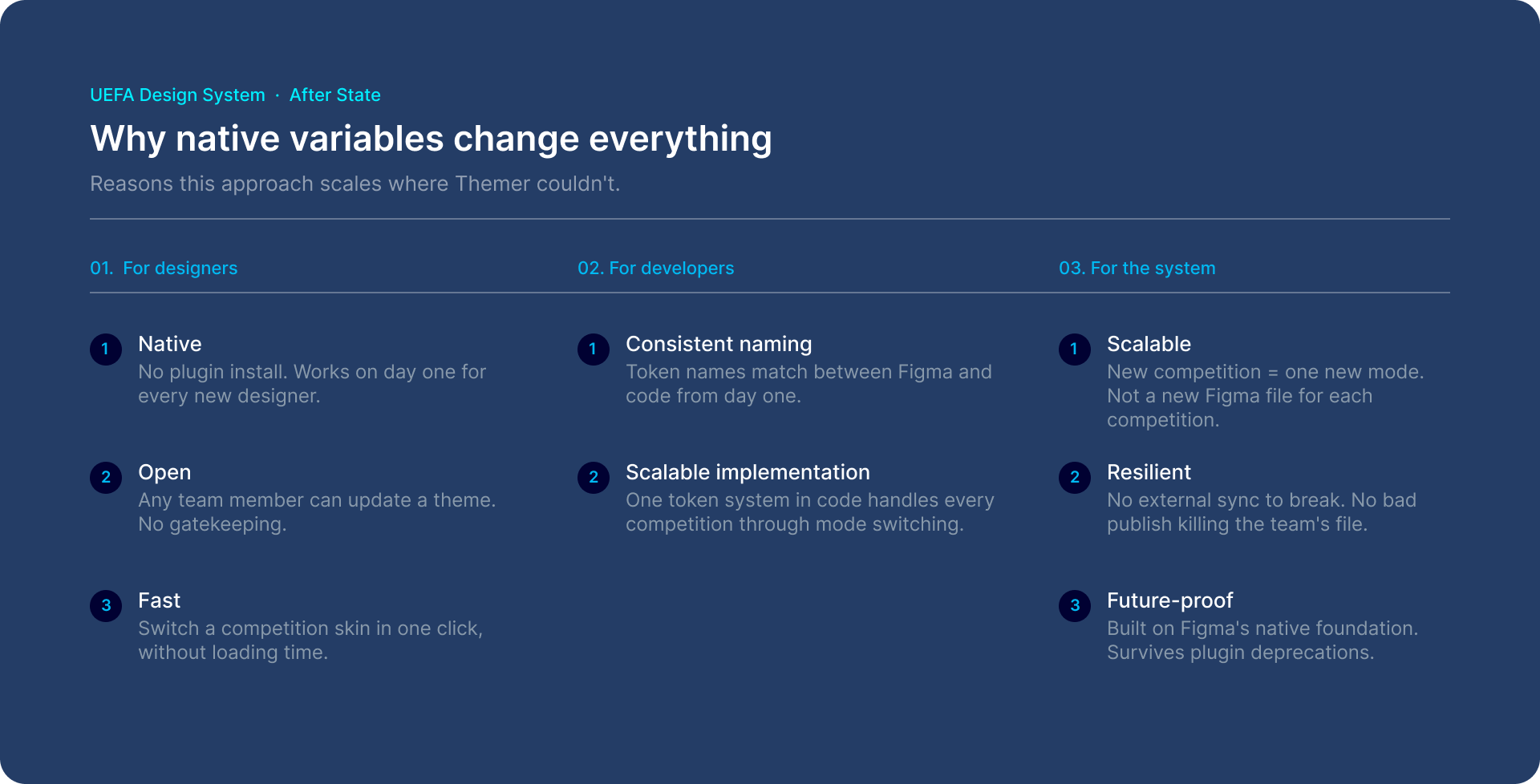
Applying a different Theme to a screen
Figma MCP & Claude AI
I decided to try to use the Figma MCP & Claude to achieve this goal in a few minutes and see if it could be something scalable, instead of doing it manually and without relying on plugins.